

Sales commissions can be configured from multiple modules by clicking the icon placed before the customer icons:

This icon – similar to the customer buttons – appears in the following modules:
- New sale
- Services – Layaways
- Services – Repair center
- Services – Trade-in center
- Orders – Custom orders
- Finance – Customer credits
Click the icon to add sales commissions for sales persons working in that store:
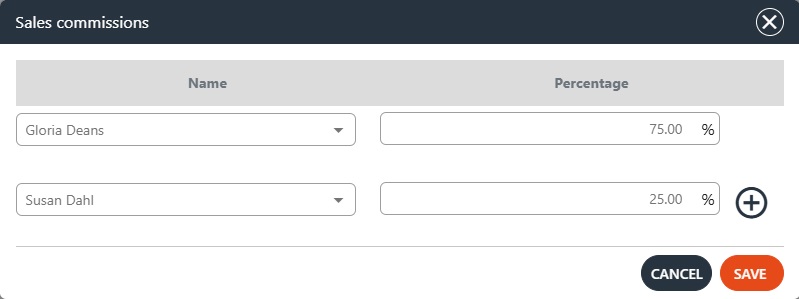
Select the salesperson’s name from the first drop-down and enter the percentage in the second field. Click the ‘+’ icon to add another salesperson to the sales commission dialog — the percentage will be evenly divided among them.
NOTE: Depending on where you use this dialog — that is, in which module — the sales commission percentages set here will apply only to that specific order.