

By default, the Reports module is accessible to all retailer users. However, we can limit access for certain users upon request.
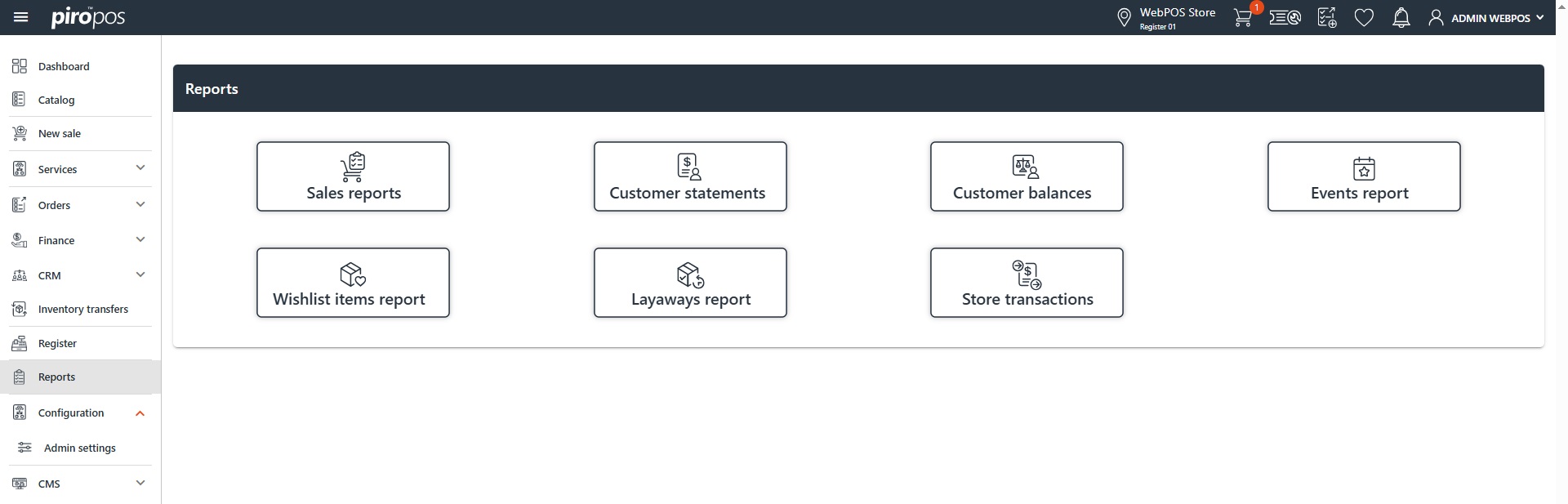
This module will continue to be updated with new reports. Additionally, we can create custom reports tailored to your specific configuration.
Note: The reports visible under the Reports module in PIRO Retail are not the only ones available from the database. More reports can be accessed in the back-office’s reporting module using the Report builder, which lets you create your own reports in the backoffice system.
Now, let’s explore the default reports available in PIRO Retail:
- Sales Reports: consists of four tabs:
-
- Sales Details: displays the order history for each customer on a single screen.
- Catalog Order Sales: lists all items sold from each product catalog with their total sales amount.
- Sales History: lists individual purchases, detailing all sales orders in chronological order.
- Custom Order Sales: provides a summary of sold items at the group level with their total sales amount.
- Customer Statements: you can choose the statement date or period and specify whether you want to generate a statement for all customers or just a single customer. Additionally, you have the option to hide transactions with a zero balance or payments such that they will not be displayed in the PDF-based report. You can email the statement by clicking on the Email button or print it using the Print button. If you choose to print, a PDF preview will appear with the requested information.
- Customer Balances: displays information about all customers, including their paid amounts, balances, and total amounts. You can generate a statement for a specific customer by clicking on their name, following the same process described earlier.
- Events Report: provides a list of all previously created customer events. You can search for specific events using the available filter options:
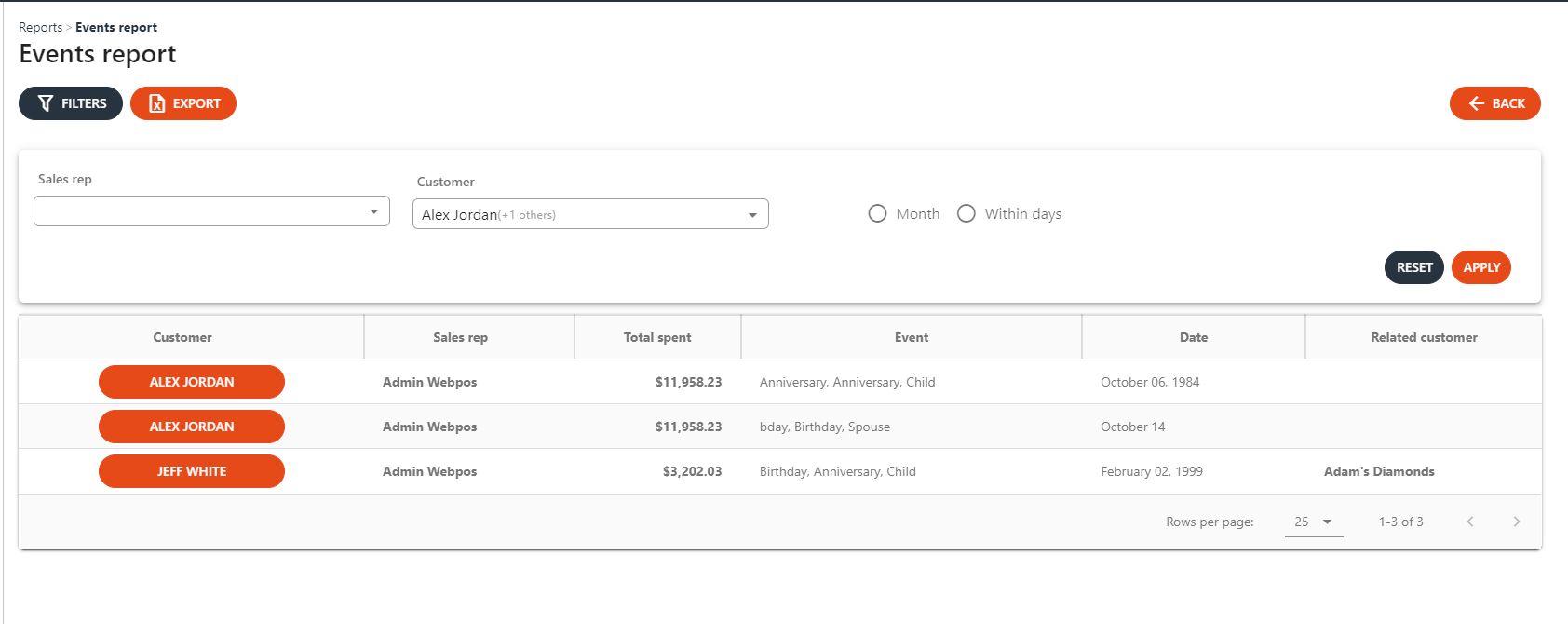
You can export the events as a list by clicking on the Export button above the table.
- Wishlist items report: lists all wishlist items. You can easily search for items by item type name, item type SKU, item SKU, and customer using the provided filter options.
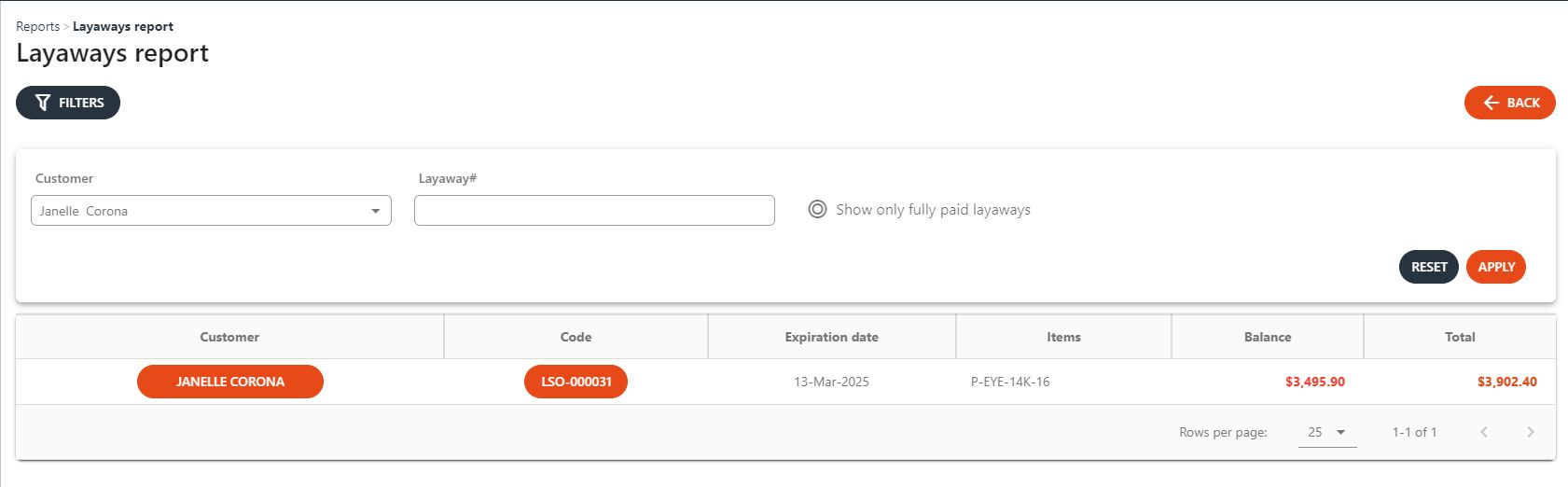
- Layaways report: this report lists all previously created layaway items, allowing you to easily search by customer and layaway code.
- Store transactions: this report lists all previously recorded payments and withdrawals to/from the registers, with payments displayed:
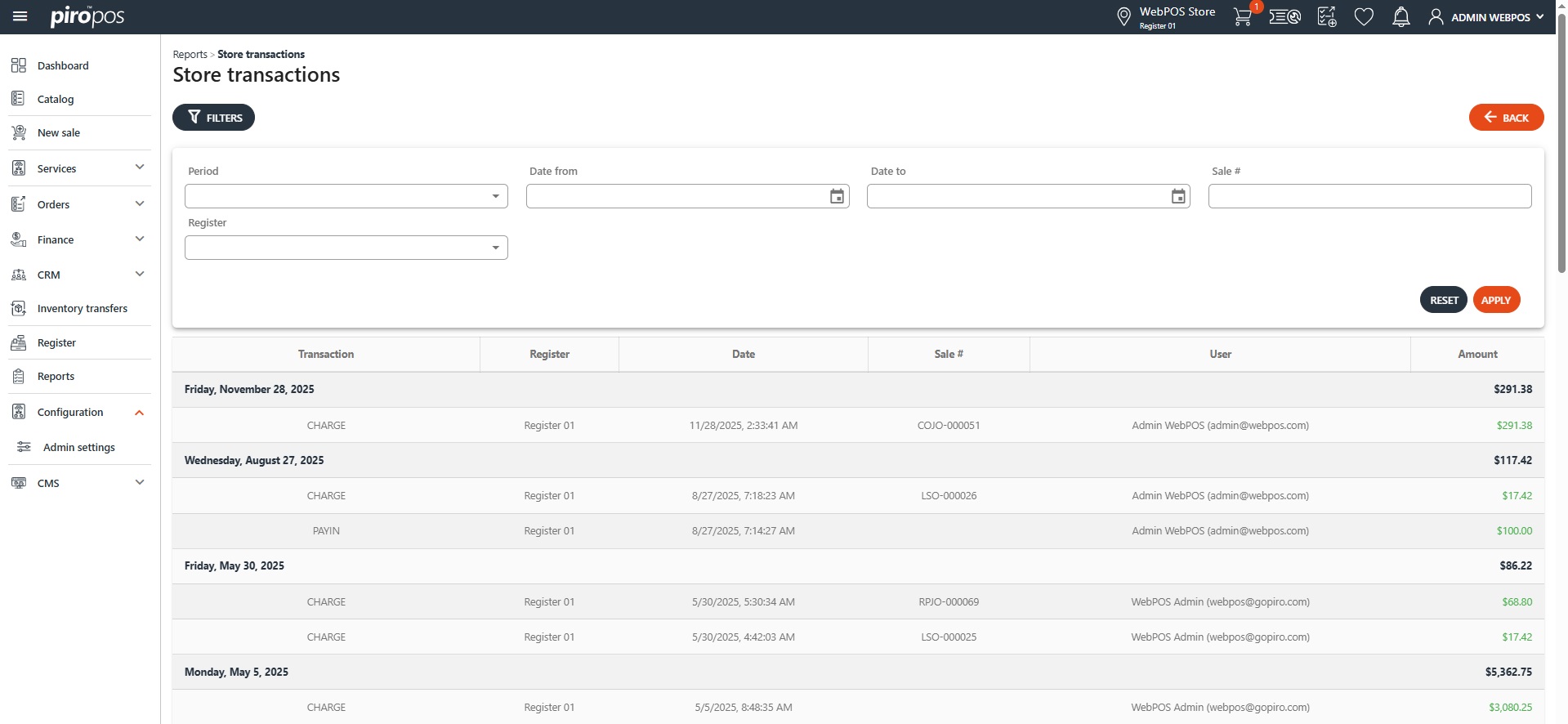
You can filter them by a predefined period, by sale number and register. The filter is applied by clicking the ‘Apply’ button and deactivated by clicking the ‘Reset’ button.