

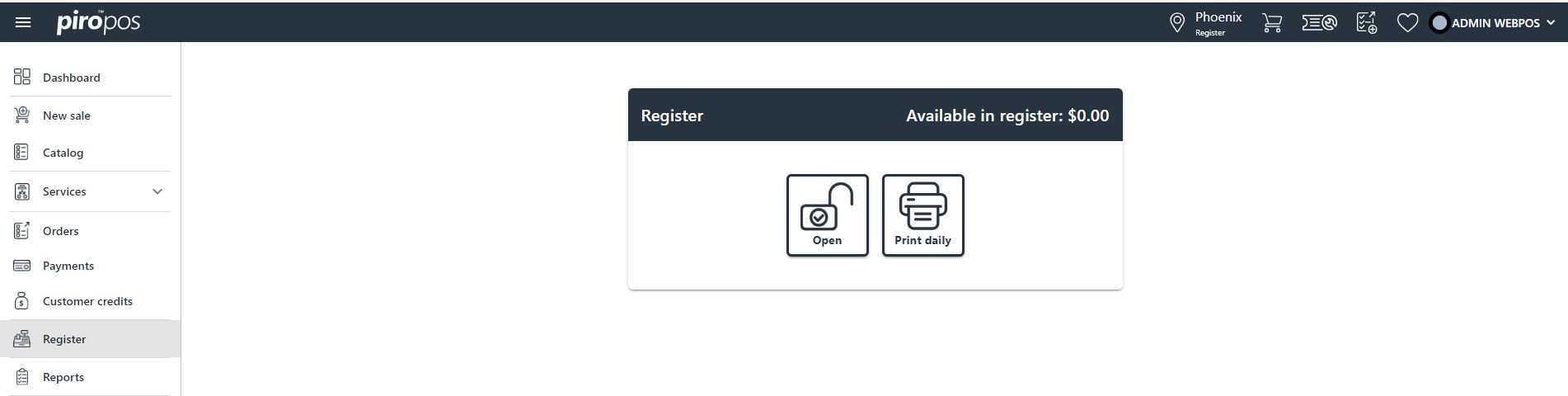
The cash register can be managed from this module. Each location will have its own register, which includes two or four separate actions depending on whether the register is already open or not. If the register is closed, click on the first icon from here:
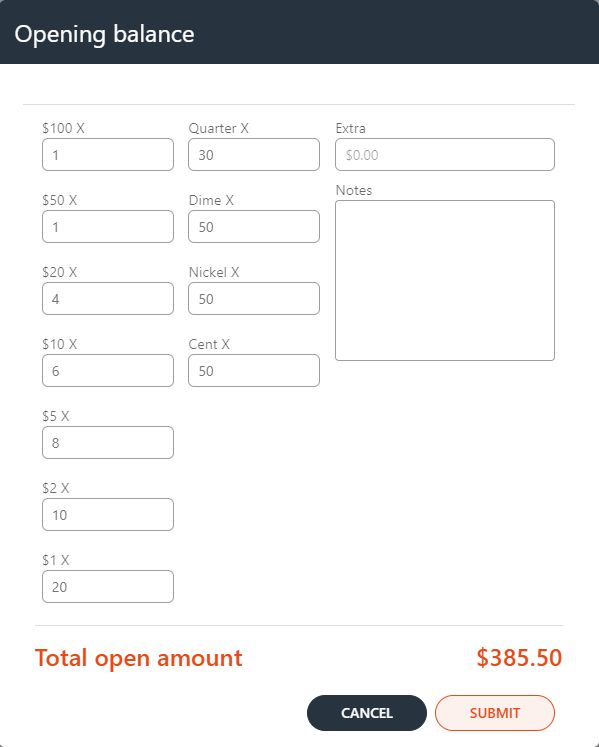
In the next dialog you can choose to open the register with a 0.00 amount or with a specified daily amount. When choosing the latter, enter the denominations in this dialog:
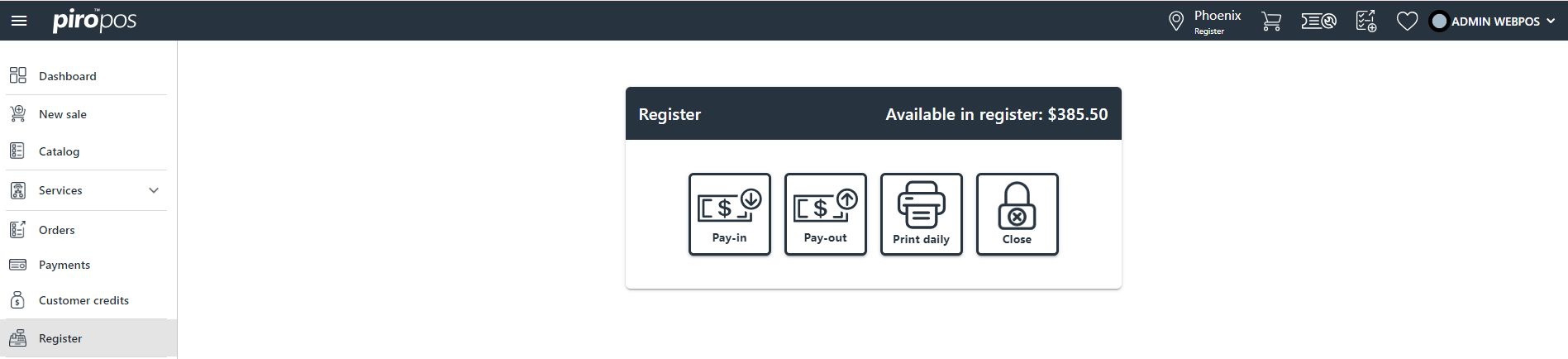
After submitting the entered amount, a new dialog appears with four possible actions:
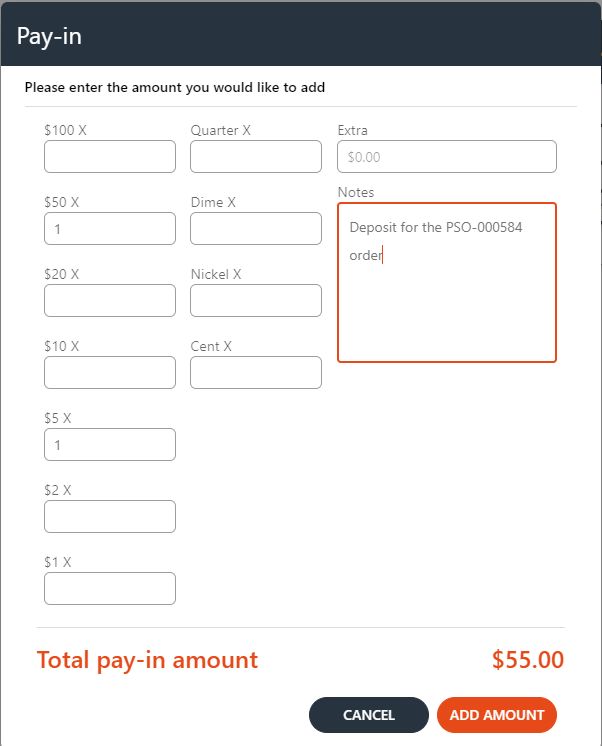
Pay-in: The denomination for pay-in amounts can be entered in the Pay-in dialog. You can enter a specific amount into the register, similar to when adding the opening amount, and you can add notes to provide a reason for the pay-in or pay-out amount in this dialog. Choosing ‘Add amount’ will add the introduced amount to the register, and choosing ‘Cancel’ will discard the introduced amount.
Pay-out: You can enter the pay-out amount denomination in the Pay-out dialog. By clicking on ‘Withdraw,’ the introduced amount will be withdrawn from the register, and by clicking on ‘Cancel,’ you will cancel the withdrawal transaction.
Print Daily: You can print the daily report by clicking this button and choosing a specific date from here:
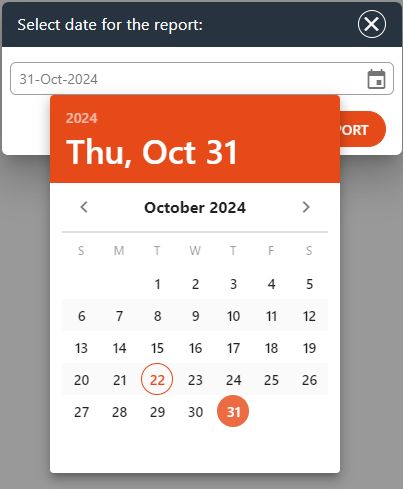
By clicking the PRINT REPORT button, a preview will appear in a new browser window, allowing you to check the content before printing it out.
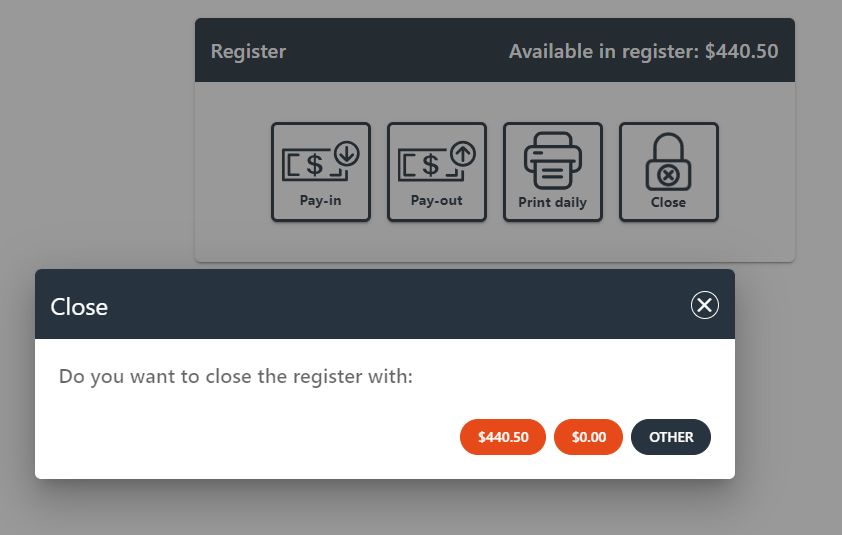
Close: by choosing this option, you can perform the daily or half-day closing. Similar to the opening balance, you can select from three closing options in this dialog:
The cash amount’s denomination can be entered in the Closing Balance dialog in case of choosing third option – OTHER:
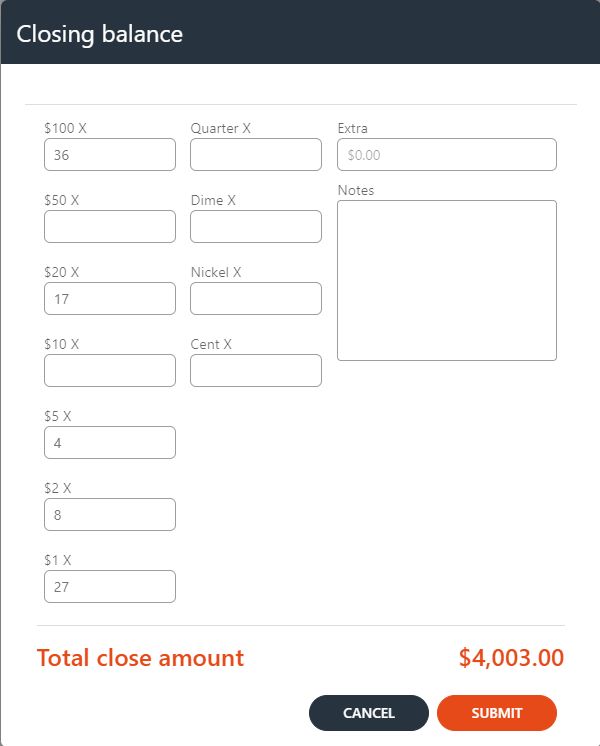
By clicking on Submit, the introduced amount is added to the balance.