

Repair jobs can be found under the Job Order menu. To list only repair jobs, enter ‘RPJO’ into the Quick Filter.
If your company handles repairs, the jobs created in the PIRO Retail system will appear in Backoffice system as repair jobs, along with their current statuses:
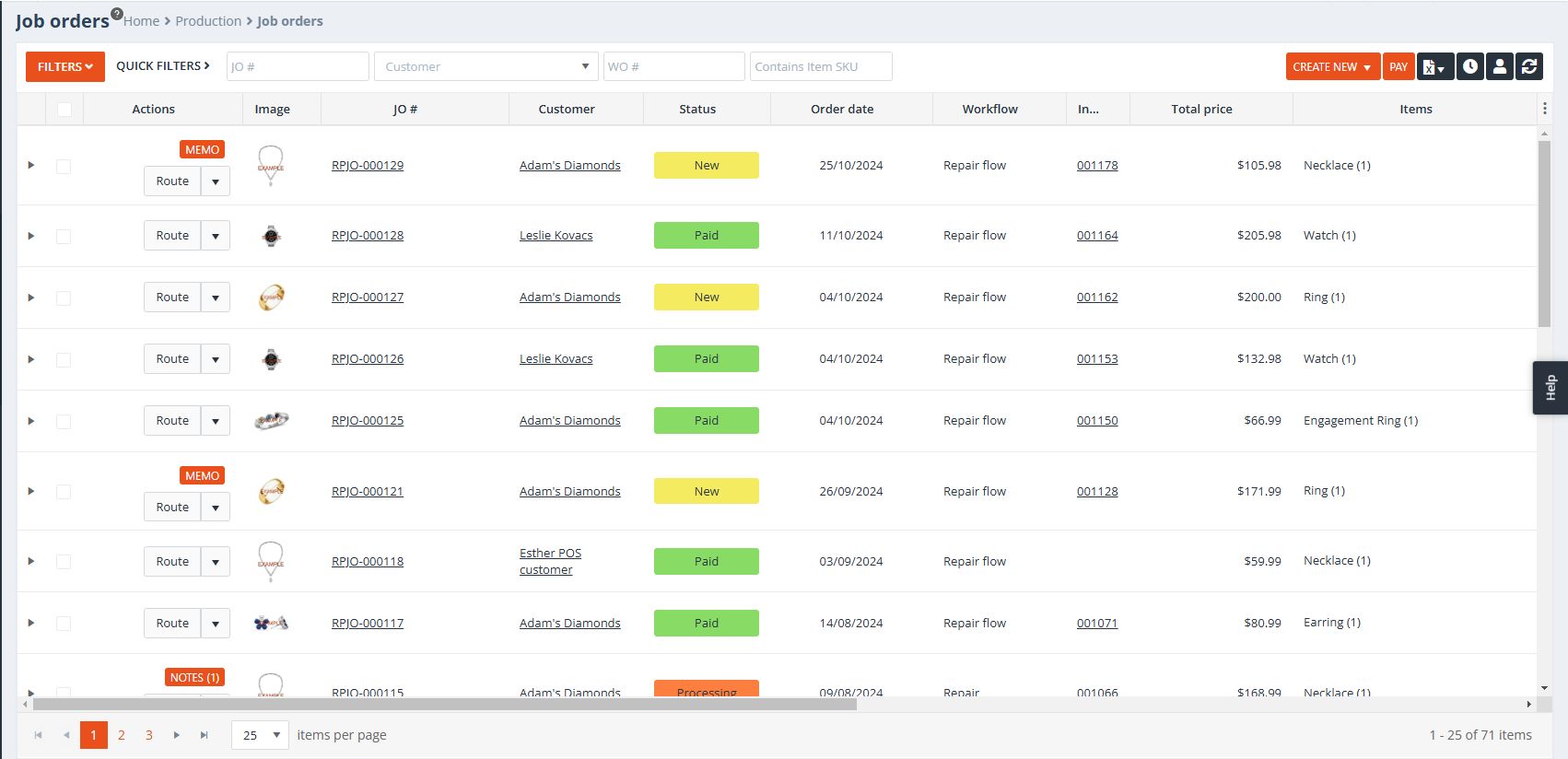
For fully paid RPJOs, the following automated back-office operations take place, similar to sales orders:
- The system creates a Job Order (RPJO) and automatically closes it.
- An invoice is generated, and any items added are removed from inventory.
- The system records the payment, automatically marking the invoice as Paid.
These same repair orders appear in the ‘Tickets in Progress’ tab on the main grid of the PIRO Retail Repair Center page:
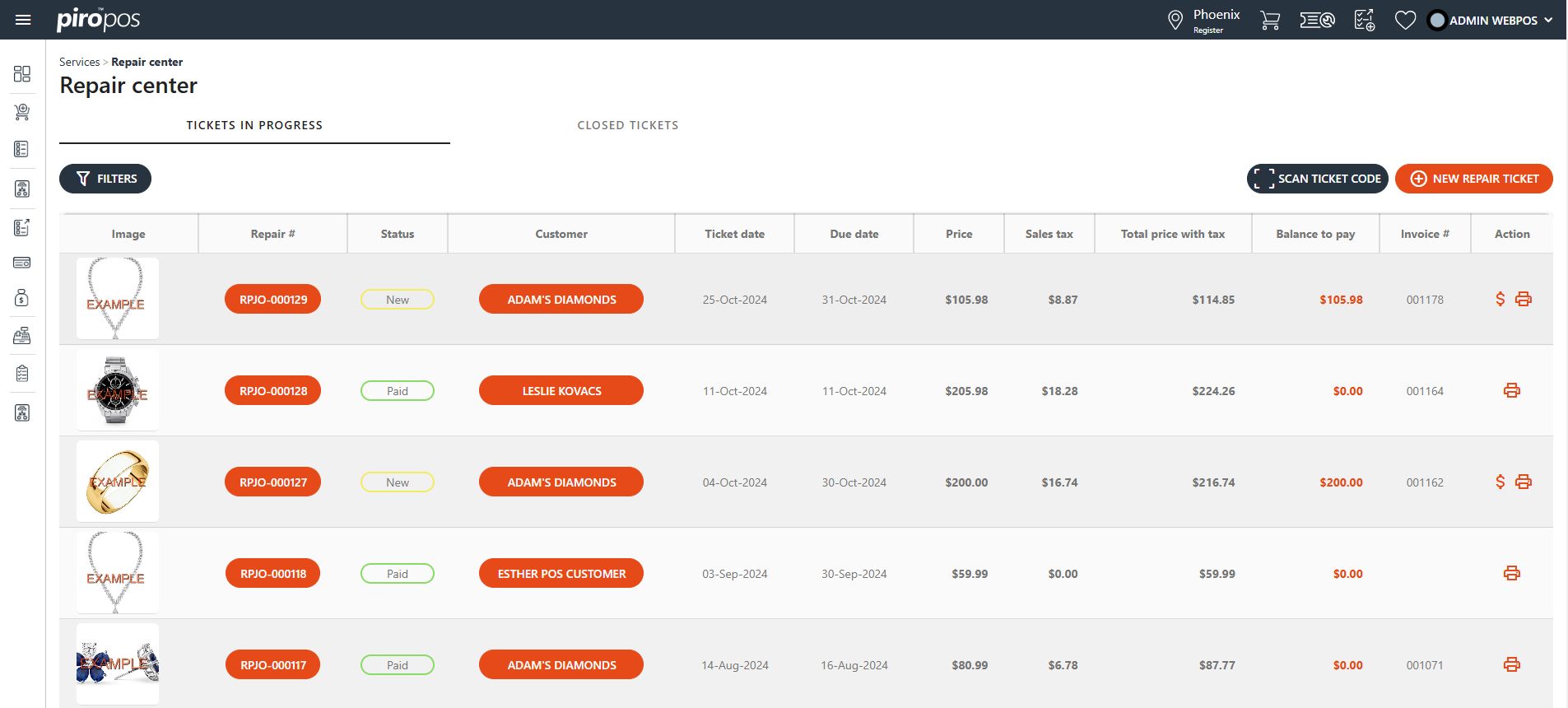
All finished repair jobs are listed on Closed tickets tab.