
The Finance module lets users search for past invoices and payments and view their associated customers and orders.
The Invoices submodule handles issued invoices. They can be filtered by invoice code, customer, status, order code, predefined or specific time period. It is also possible to hide paid invoices from the filter section:
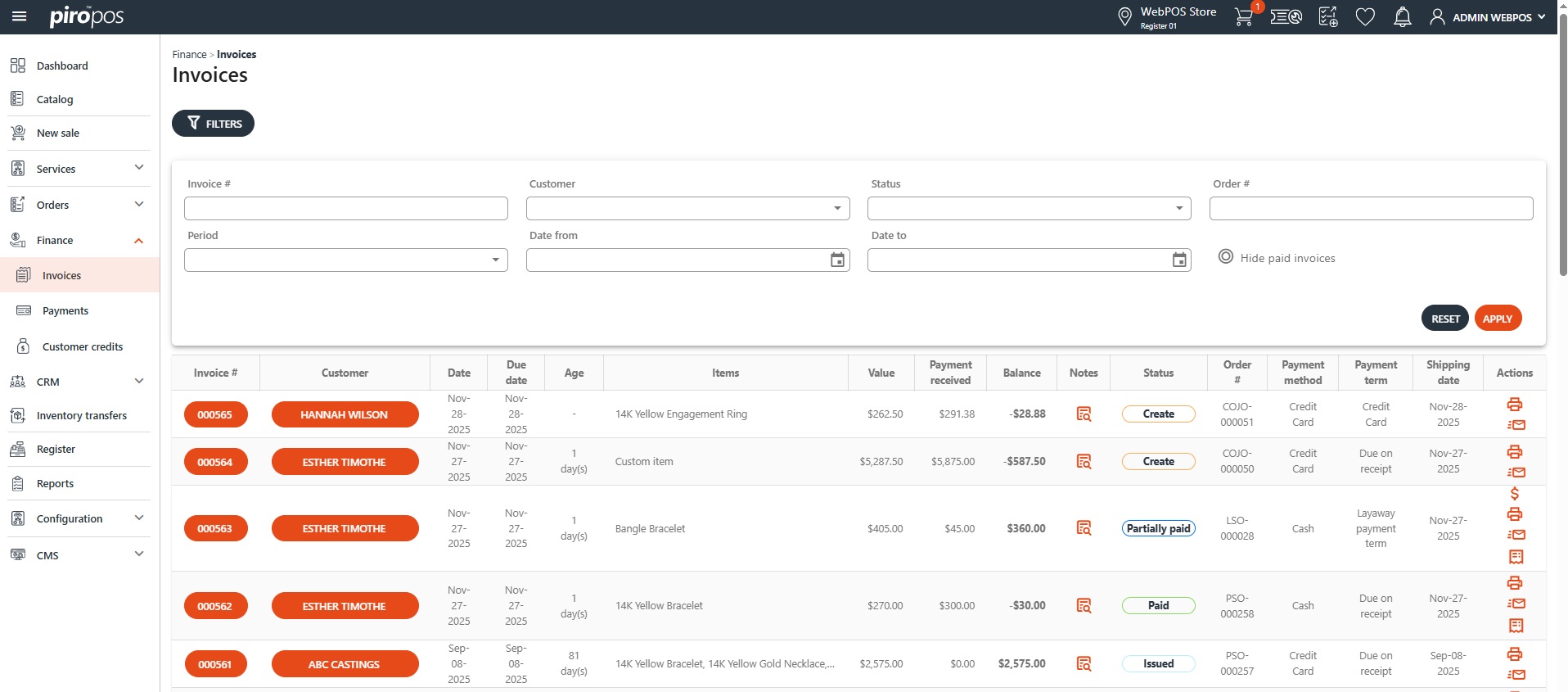
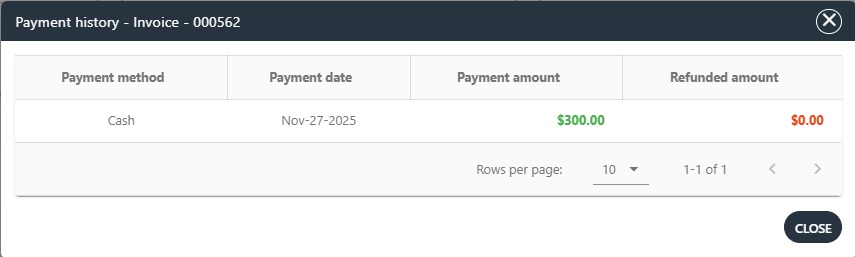
Invoices – depending on its statuses – can be payed, printed, emailed or viewed its payment history as well from the Actions column in the grid:
You can view the details of an invoice by clicking on its number from the list:
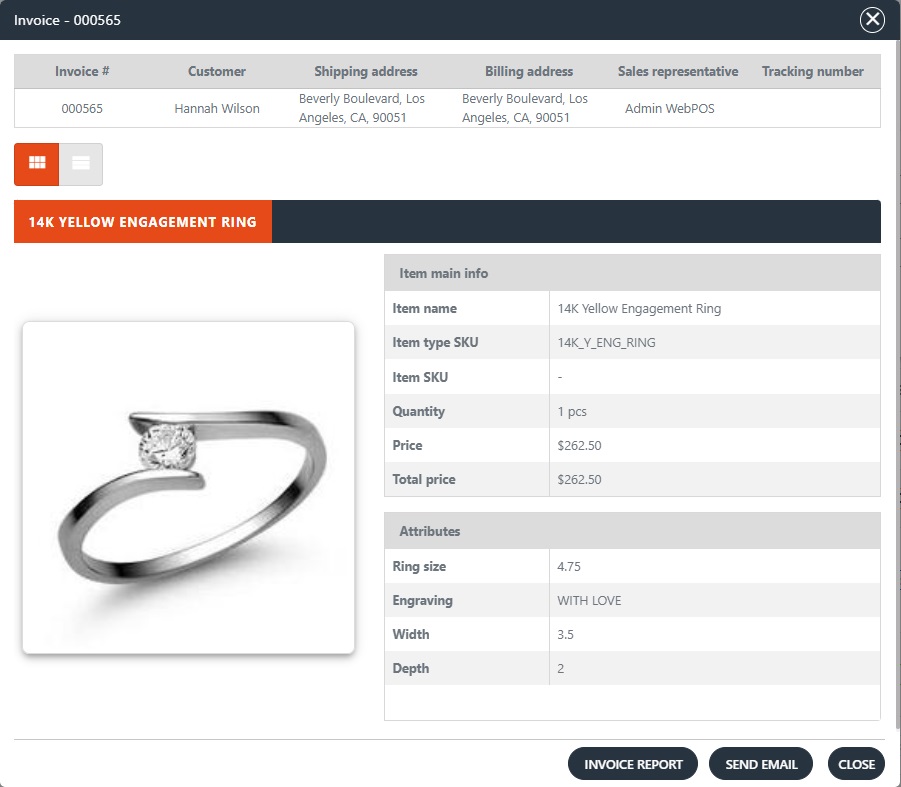
Similar to the orders invoices can be printed or emailed from here as well.
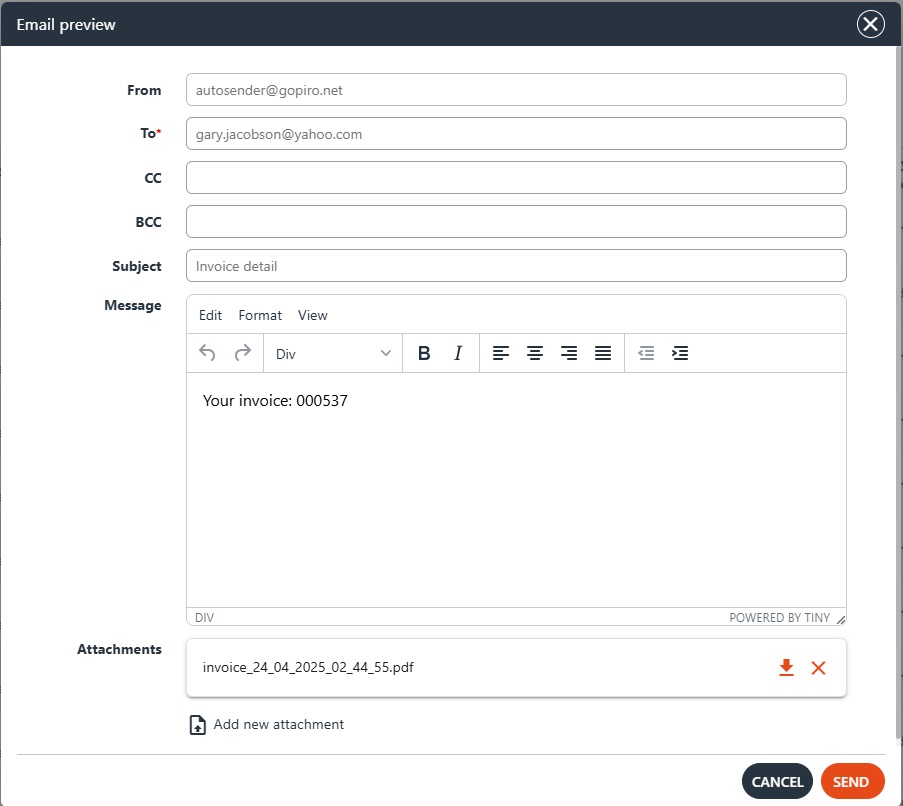
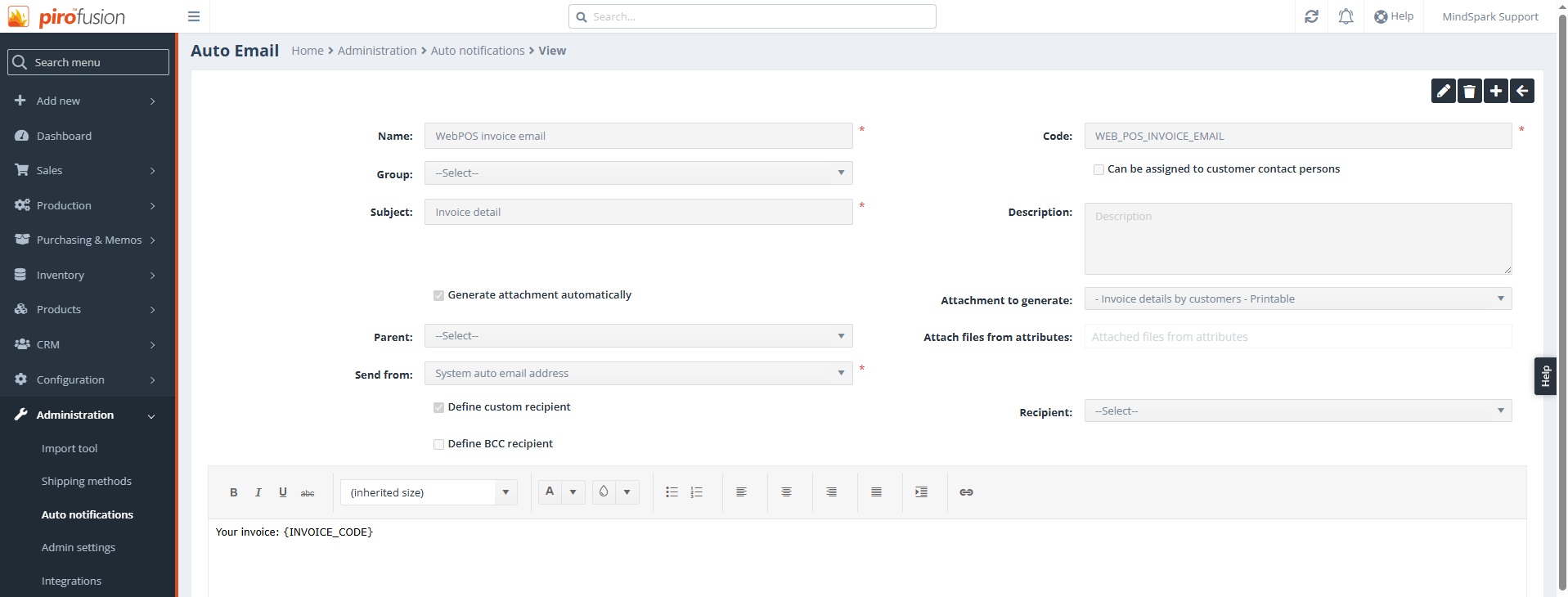
NOTE: The invoice email preview content and attachment can be set up in PIRO Fusion – Administration – Auto notifications:
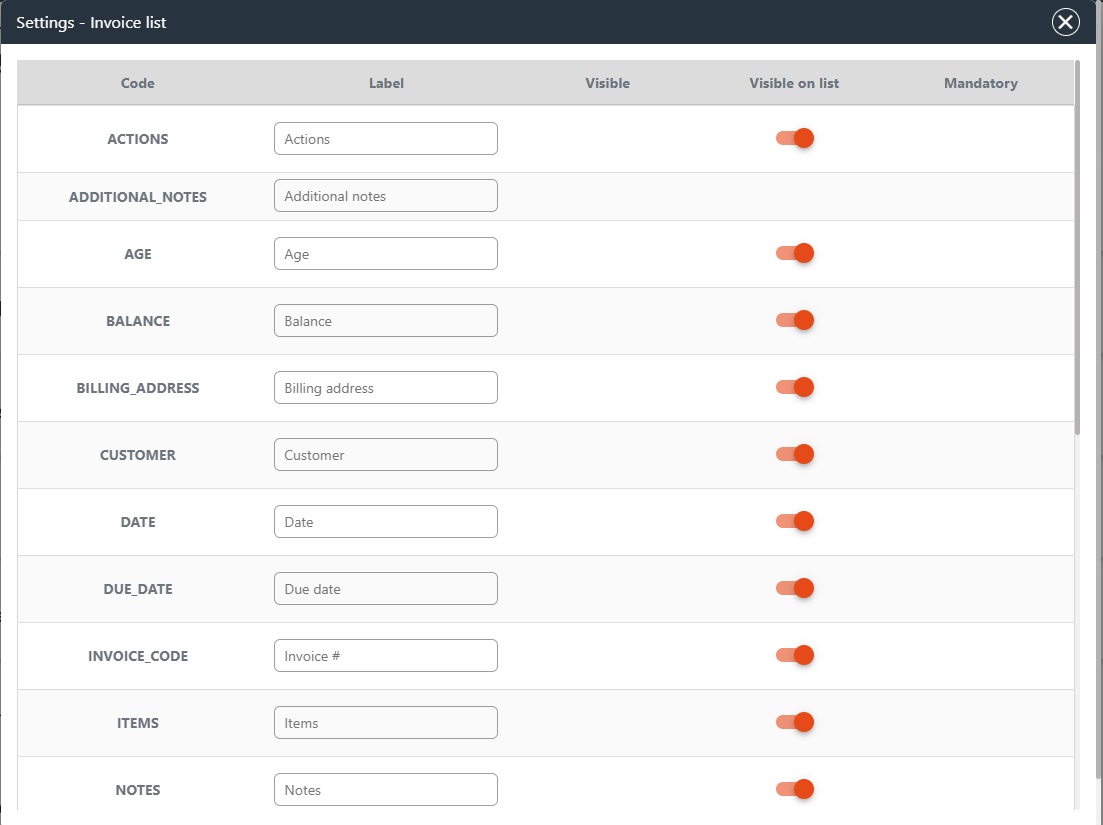
The visibility of the columns in the invoice grid can be adjusted in the Configuration module under Admin Settings – Modules. Access to this depends on the user’s permissions. Only users with admin rights can access the Configuration menu:
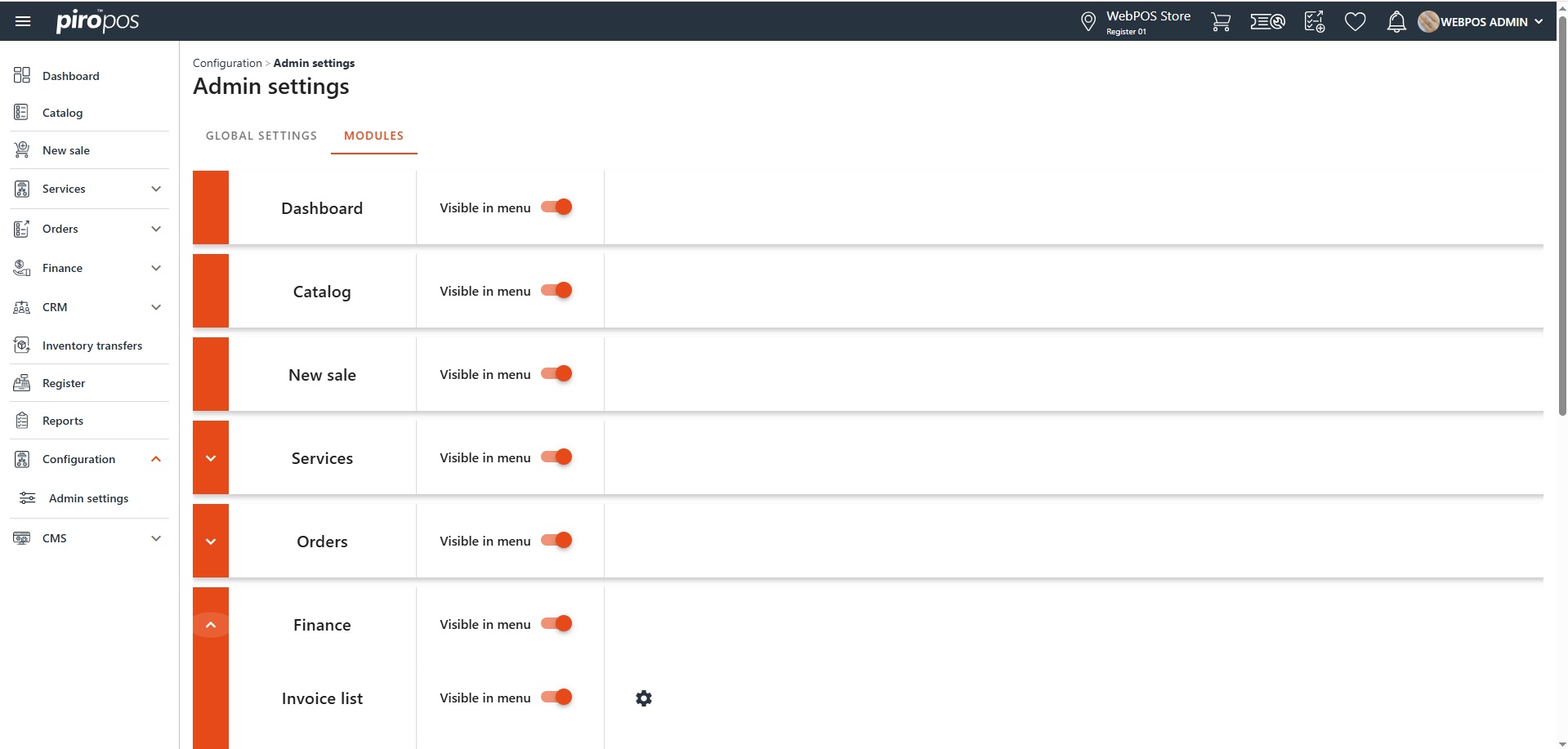
Click the gear icon to open the Settings – Invoice List dialog, where the visibility can be toggled on or off for each column: